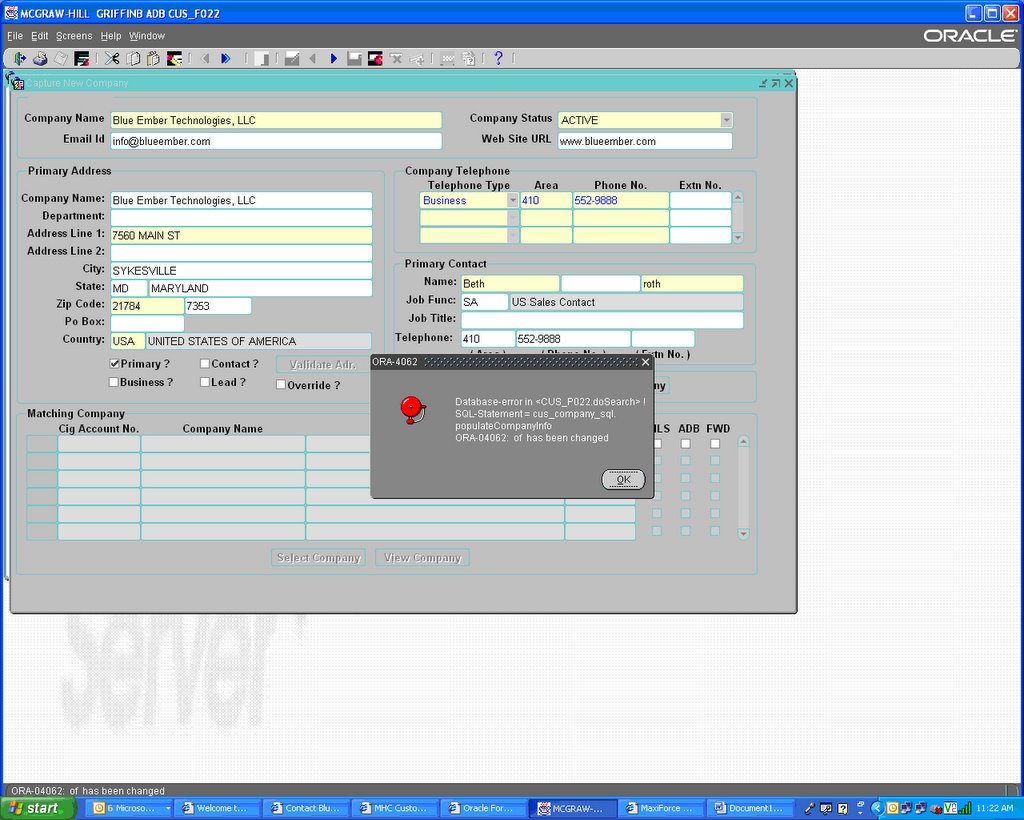
Forms Error ORA-4062

Overview--------
This article contains information about the ORA-4062 error which can occur when using client-side PL/SQL (Oracle Forms, Reports) or server-side PL/SQL across a database link.
Background----------
ORA-4062 indicates that 'TIMESTAMP / SIGNATURE of NAME has been changed'.When a local piece of PL/SQL references a remote package, function, orprocedure, the local PL/SQL engine needs to know if the reference is stillvalid, or, if the remote procedure has changed.
The locally compiled PL/SQL code is 'dependent' on the remote code. Thefollowing two models can be used in Oracle to track this dependency:
TIMESTAMPS (Oracle releases V7.2 and prior) -OR- SIGNATURES (Oracle releases V7.3 and onwards)
The method used is determined by the server initialization
Additionally, 7.3.4 and 8.0.4 onwards allow 'runtime binding' which allows client PLSQL to delay the actual binding up of a reference to a SCHEMA.OBJECT.
Timestamp---------
If the dependency mode is set to TIMESTAMP, the local PL/SQL block can onlyexecute the remote PL/SQL block if the timestamp on the remote procedurematches the timestamp stored in the locally compiled PL/SQL block. If thetimestamps do not match, the local PL/SQL must be recompiled.
Signature---------
If the dependency mode is set to SIGNATURE, the local PL/SQL block can still execute the remote PL/SQL block if its 'signature' is the same, evenif the timestamp has changed.
The 'signature' basically means the interface (procedure name, parameter types or modes) is the same, even if the underlying implementation has changed.
A description of the factors that the SIGNATURE depends on can be found in the Oracle8 or "Oracle8i Application Developers Guide" in the sectionon Remote Dependencies. It is important to read this section because a few disadvantages exist to using a SIGNATURE dependency model.
The main disadvantage is that a few changes to a stored package / procedure require manual recompilation of the calling PL/SQL. For example, if anoverloaded version of an existing procedure is added, then the caller stilluses the original version until the caller is recompiled.
ORA-4062--------
This error is reported if the local PL/SQL block cannot call the remoteprocedure, since the timestamp or signature has changed on the remote end.A local recompilation may be required to make the call.
In the case of server to server calls, the local PL/SQL block is implicitlyrecompiled on the next call after an ORA-4062 error. In the case of clienttools to server calls, the client Form or Report usually needs to be recompiledexplicitly.
Recommendation--------------
Oracle recommends that
Client tools, such as Developer, attempt to use SIGNATURE mode by issuing 'ALTER SESSION' statements. Therefore, the init.ora parameter settingis over-ridden for these products (provided users have the 'ALTER SESSION' privilege).
For Developer 2000 (release 2.0 onwards), we also recommend that you use database versions 7.3.4 or 8.0.4 (or higher) 'to take advantage of 'runtime binding'.
If you must use Developer 2000 Release 2 with a database version prior to 7.3.2, use the 'schema prep' utility to deploy the application. Refer to the "Developer 2000 2.1 Release Notes" for instructions (section 15-6 and 15-9 andalso Appendix 2). This utility is not discussed here.
Known Issues------------
Provided that REMOTE_DEPENDENCIES_MODE is set correctly, ORA-4062errors should only be signaled if the signature of the procedure changes.
For example, if the remote procedure contains a definition MYPROC( A NUMBER ),and this is changed to MYPROC( A NUMBER, B NUMBER ), the signature has changed. Therefore, it is expected behaviour that any PL/SQL calling MYPROC must be recompiled.
Many Oracle tools which include a client-side PL/SQL engine issue an
'ALTER SESSION SET REMOTE_DEPENDENCIES_MODE=SIGNATURE'
statement to set the SIGNATURE dependency model. Errors from issuing thisstatement may be silently ignored. For example, if a user does nothave the 'ALTER SESSION' privilege, then the REMOTE_DEPENDENCIES_MODE is leftat the default mode (taken from the init.ora parameter setting).
ORA-4062 from Invalidated Remote Procedures-------------------------------------------
Since a bug exists that can cause an unnecessary ORA-4062 error, it is sometimes thought to be the cause of such errors. The notes below describe the specific scenario relating to this bug.
Effect for Client Tools using PL/SQL------------------------------------
The following scenario describes how this bug affects Oracle Formsand shows a simple workaround. Recompile the INVALID procedure on the remote server.
1. Set the database to use the SIGNATURE dependency model:
REMOTE_DEPENDENCIES_MODE=SIGNATURE
Note: Without this, you always have to recompile forms or reports if the connected users do not have the ALTER SESSION privilege.
2. Compile a form calling a known procedure. For example:
FORM-A calls PROC_1 in the database
3. Run FORM-A.
4. Recompile PROC_1 on the server:
ALTER PROCEDURE PROC_1 RECOMPILE.
This adjusts the timestamp, but not the signature.
5. Run FORM-A. This should not report an error since the signature has not changed.
6. Modify PROC_1 to depend on TAB_1. For example:
PROC_1 does a select from TAB_1
7. Recompile PROC_1 and FORM_A.
8. Run FORM-A.
9. ALTER TABLE TAB_1 and add a new column. This causes PROC_1 to be INVALIDATED since it is referencing an object which has changed.
10. Run FORM-A.
If the bug is present, the form will raise an ORA-4062 error at this point since the called procedure is INVALID.
If the bug is fixed in the release you are using, the form call will cause an automatic recompilation of PROC_1, restoring its signature and hence generating no error.
11. To avoid the bug, compile all dependent procedures on the server after TAB_1 has been changed. Provided the procedure definition does not change, you should not need to recompile the form.
For example:
a. Compile PROC_1 (which depends on TAB_1). b. Compile FORM-A. c. Run FORM-A d. Add another column to TAB_1. This invalidates PROC_1 on the server such that it needs recompiling again. e. ** Workaround: **
The workaround at this point is to manually recompile PROC_1 on the server.
f. Run FORM-A. It should not error as PROC_1 was recompiled and so has the correct signature.
Effect for Server Calls using PL/SQL------------------------------------
The bug scenario for a server call to a remote procedure is similarto the description above.
1. Create PROC_1 which performs a select * from TAB_1 on REMOTEDB.
2. Call PROC_1 from LOCALDB.
3. Alter TAB_1 on REMOTEDB to add a new column.
4. If the bug is present, re-executing the block mentioned in step 2 above raises an ORA-4062 error. A second execution of this block succeeds.
5. The workaround is to recompile PROC_1 after altering table TAB_1 on REMOTEDB.
Additional Notes----------------
If the parameters to a procedure use %TYPE or %ROWTYPE, then a change tothe table on which the %TYPE or %ROWTYPE is based upon can change the signature of the procedure.
If the signature changes, an ORA-4062 error is correctly signaled. For client PL/SQL objects, changes to a signature require the client form or report to be recompiled. This is correct behaviour.
Conclusion----------
If after reviewing the above steps you believe you have a scenario when an ORA-4062 is being incorrectly signaled, then it is important to describeeach step that leads to the error. Oracle Support Services requires a small test case to establish validity for the error.
References----------
"Oracle7 Server Application Developer's Guide", (A32536-1), page 7-16 "Oracle8 Server Application Developer's Guide", (A54642-01), page 10-15
posted by ThereIN @ 11:02 PM


0 Comments:
Post a Comment
<< Home